Mesra SayangSdn Bhd

Payment guide

How to pay

For payments already arranged with the company, use the QR or bank account below. Confirm the amount and purpose with us first.

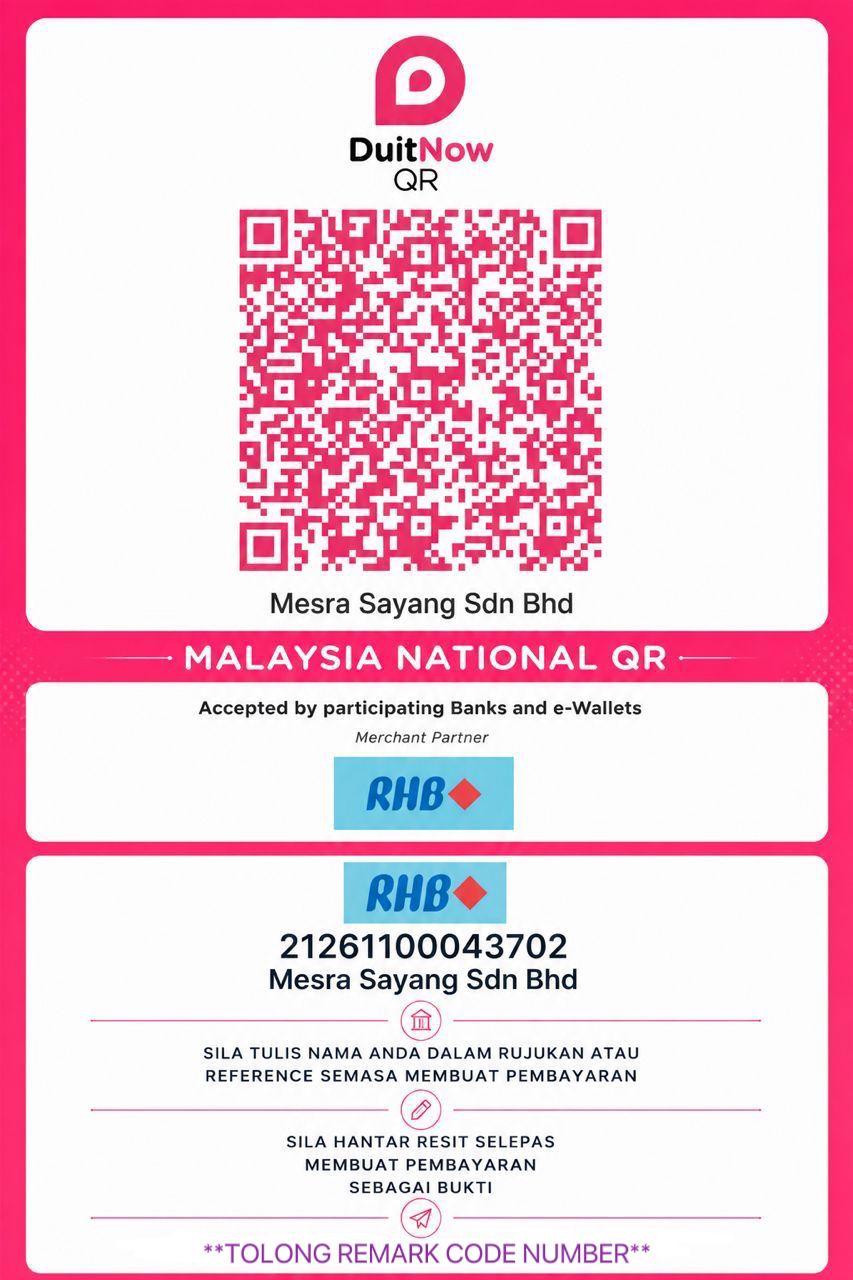
Mesra Sayang Sdn Bhd DuitNow QR and RHB bank account details

Use the original image to scan or save the QR.

Bank
RHB
Account holder
Mesra Sayang Sdn Bhd

Payment reference: your full name and customer code (CODE NUMBER). If the QR flow has no reference field, provide these details with your receipt when contacting the company. Contact us first if you do not know your code.

01 · DuitNow QR

Scan DuitNow QR

  1. Open a bank or e-wallet app that supports DuitNow QR, select its QR scanner and scan the company QR shown here.
  2. Check that the recipient is Mesra Sayang Sdn Bhd, then enter the amount agreed with the company.
  3. Review the details and approve the payment in your bank or e-wallet app. Save the receipt when finished.
Official DuitNow QR guide ↗

02 · RHB

Bank transfer

  1. Select RHB, enter account number 21261100043702 and check that the account holder is Mesra Sayang Sdn Bhd.
  2. Enter the agreed amount. Use your full name and customer code (CODE NUMBER) as the payment reference.
  3. Review and approve the transfer in your bank app, then save the receipt. Contact the company first if you do not know your customer code.

After making a payment

Keep your receipt. Contact the company or the employee handling your case for instructions on sending your payment proof and confirming receipt of the payment.